Suggestions
With this Module, you can set up a suggestion system in your server, where users can submit suggestions, and other users can react and comment on them. The community can create a suggestion either by using the /suggestion command or if it's enabled here, just to type in the channel which creates a suggestion automatically. This can be useful for gathering feedback from your community and making improvements based on their suggestions.
Suggestion-Channel

type: Channel Select
required: true
Here, you can select the channel where the suggestions will be posted.
Create suggestions from messages in channel

type: Boolean (AKA True/False)
required: false
recommended: true
Here, you can choose whether to create suggestions automatically from messages in the selected channel. If this option is enabled, any message sent in the channel will be converted into a suggestion. please be sure that everyone has the permission to send messages in the channel, otherwise they won't be able to create suggestions.
Reactions
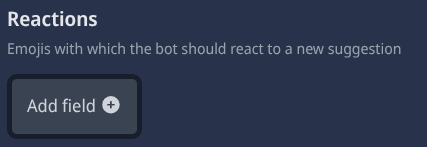
type: Add field
required: false
recommended: true
Here, you can choose many emojis that users can react with to vote on suggestions. You can add multiple emojis by clicking the "Add Field" button. Just provide the emoji you want to add. the recommended emojis are 👍 and 👎, but you can use any emoji you like.
User-Comments in Threads

type: Boolean (AKA True/False)
required: false
recommended: true
Here, you can choose whether to allow users to comment on suggestions in threads. If this option is enabled, the bot will create a thread for each suggestion, where users can discuss and comment on the suggestion. This can be useful for gathering more detailed feedback and opinions from the community.
Thread-Name

type: Text Input
required: false (true if "User-Comments in Threads" is enabled)
Notification-Role

type: Role Select
required: false
recommended: false
Here, you can select a role that will be notified when a new suggestion is created. This can be useful for keeping certain members of your community informed about new suggestions and allowing them to provide feedback or take action on them. If you don't want to use this feature, you can leave this field empty.
Send DM-Notifications

type: Boolean (AKA True/False)
required: false
recommended: true
Here, you can choose whether to send DM notifications to users when their suggestion is accepted or denied. If this option is enabled, the bot will send a DM to the user who created the suggestion, notifying them that their suggestion has been accepted or denied. This can be useful for keeping users informed about the status of their suggestions and encouraging them to participate in the discussion.