Messages
On this page, its more about editing messages for the Economy Module. You can customize various messages that the bot sends in response to different actions related to the Economy system. This allows you to tailor the bot's communication to better fit the theme and tone of your server.
item string

type: String
required: true
Here, you can edit the message of the shop message that shows the items in the shop. You can use the following placeholders to show the stats you want:
%id% - Id of the item
%itemName% - Name of the item
%price% - Price of the item
%sellcount% - Count of the sales of the item
workSuccess
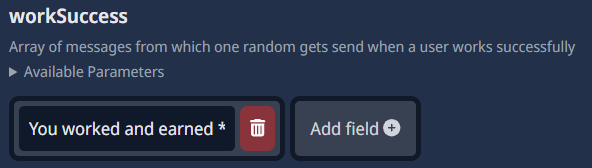
type: Add Field
required: true
Here, you can edit the message that the bot sends when a user successfully works and earns money. You can use the following placeholders to show the stats you want:
%earned% - Money that the user had earned
crimeSuccess
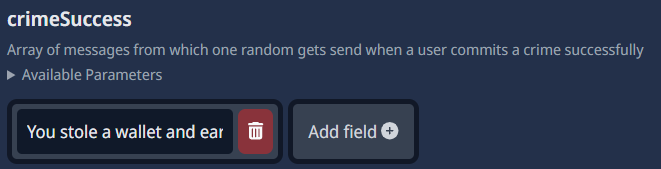
type: Add Field
required: true
Here, you can edit the message that the bot sends when a user successfully commits a crime and earns money. You can use the following placeholders to show the stats you want:
%earned% - Money that the user had earned
crimeFail
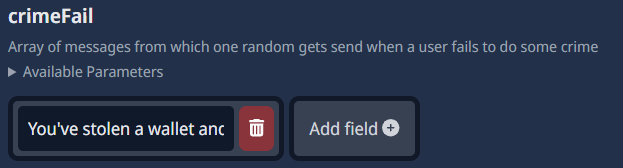
type: Add Field
required: true
Here, you can edit the message that the bot sends when a user fails to commit a crime and loses money. You can use the following placeholders to show the stats you want:
%loose% - Money that the user looses
leaderboardEmbed

type: Embed
required: true
Here, you can edit the message the leaderboard embed that the bot sends. you can edit the embed as your want, you can even add a thumbnail and a picture to the embed. you can even change the color and the title of the embed!
deposit message

type: String
required: true
Here, you can edit the message that the bot sends when a user deposits money into their bank account. You can use the following placeholders to show the stats you want:
%amount% - Amount of money deposited
withdraw message

type: String
required: true
Here, you can edit the message that the bot sends when a user withdraws money from their bank account. You can use the following placeholders to show the stats you want:
%amount% - Amount of money withdrawn
message drop message
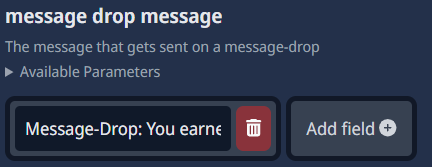
type: Add Field
required: true
Here, you can edit the message that the bot sends when a user gets money for chatting, if you add more fields, the bot sends them. You can use the following placeholders to show the stats you want:
%amount% - Amount of money found
not a number

type: String
required: true
Here, you can edit the message that the bot sends when a user dosn't input numbers for commands like deposit or withdraw. You can customize this message to inform users about the error in a friendly manner.
message-drop already enabled

type: String
required: true
Here, you can edit the message that the bot sends when a user tries to enable the message drop feature, but its already enabled. You can customize this message to inform users about the current status of the feature.
message-drop enabled

type: String
required: true
Here, you can edit the message that the bot sends when a user enables the message drop feature. You can customize this message to confirm the activation of the feature to the user.
message-drop already disabled

type: String
required: true
Here, you can edit the message that the bot sends when a user tries to disable the message drop feature, but its already disabled. You can customize this message to inform users about the current status of the feature.
message-drop disabled

type: String
required: true
Here, you can edit the message that the bot sends when a user disables the message drop feature. You can customize this message to confirm the deactivation of the feature to the user.