Configuration
On this page, you need to configure the Economy module.
Administrators
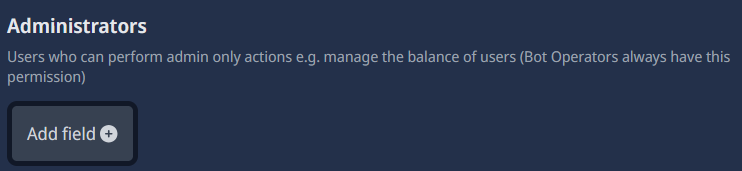
type: Add Field
required: false
recommended: it's in your choice
Here, you can add administrators who have access to all economy commands and features, regardless of their role or permissions on the server. You can add multiple administrators by clicking the "Add Field" button. Just provide the user ID of the user you want to add. Bot opperators will always have this permission by default.
allowCheats

type: Boolean (AKA True/False)
required: false
recommended: please don't activate this
This option allows administrators to use cheat commands that can manipulate user balances, such as adding or removing money. Please do not enable this option, as it is considered cheating and unfair to other users, it’s best to stay away from it.
selfBalance

type: Boolean (AKA True/False)
required: false
recommended: please don't activate this
This option allows administrators to edit their own balance this is kinda similar to the "allowCheats" option, but only for their own balance. Please do not enable this option, as it is considered cheating and unfair to other users, it’s best to stay away from it.
Shop-managers
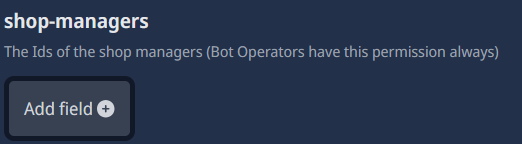
type: Add Field
required: false
recommended: it's in your choice
Here, you can add shop managers who have access to manage the economy shop, including adding, removing, and editing items. You can add multiple shop managers by clicking the "Add Field" button. Just provide the user ID of the user you want to add. Bot opperators will always have this permission by default.
Start Money

type: Spinner (AKA Number Input)
required: true
This option allows you to set the amount of money that new users will receive. You can set this to any amount you like, depending on how you want to structure your economy
currency name

type: String
required: true
Here, you have to type the name of your currency. This name will be used in all economy commands and messages. For example, if you type "Coins" here, the bot will say "You have 100 Coins" when a user checks their balance.
Symbol of the currency

type: String
required: true
Here, you have to type the symbol of your currency. This symbol will be used in all economy commands and messages.
max work money

type: Spinner (AKA Number Input)
required: true
This option allows you to set the maximum amount of money that users can earn from working. You can set this to any amount you like, depending on how you want to structure your economy.
min work money

type: Spinner (AKA Number Input)
required: true
This option allows you to set the minimum amount of money that users can earn from working. You can set this to any amount you like, depending on how you want to structure your economy.
work cooldown

type: Spinner (AKA Number Input)
required: true
This option allows you to set the cooldown time for the work command. This means that users will have to wait this amount of time(in minutes) before they can work again. You can set this to any amount you like.
max crime money

type: Spinner (AKA Number Input)
required: true
This option allows you to set the maximum amount of money that users can earn from committing crimes. You can set this to any amount you like, depending on how you want to structure your economy.
min crime money

type: Spinner (AKA Number Input)
required: true
This option allows you to set the minimum amount of money that users can earn from committing crimes. You can set this to any amount you like, depending on how you want to structure your economy.
crime cooldown

type: Spinner (AKA Number Input)
required: true
This option allows you to set the cooldown time for the crime command. This means that users will have to wait this amount of time (in minutes) before they can commit a crime again. You can set this to any amount you like.
max rob amount

type: Spinner (AKA Number Input)
required: true
This option allows you to set the maximum amount of money that users can rob from other users. You can set this to any amount you like, depending on how you want to structure your economy.
rob percent

type: Spinner (AKA Number Input)
required: true
This option allows you to set the percentage of money that users can rob from other users. For example, if you set this to 50, users will be able to rob up to 50% of the target user's balance. for this, you can leave it at 10 percent.
rob cooldown

type: Spinner (AKA Number Input)
required: true
This option allows you to set the cooldown time for the rob command. This means that users will have to wait this amount of time (in minutes) before they can rob again. You can set this to any amount you like.
leaderboard-channel

type: Channel select
required: false
recommended: true
Here, you can select a channel where the economy leaderboard will be displayed. The bot will automatically update the leaderboard in this channel. If you don't want to use this feature, you can leave this field empty.
shop-channel

type: Channel select
required: false
recommended: true
Here, you can select a channel where the economy shop will be displayed. The bot will automatically send shop updates in this channel. If you don't want to use this feature, you can leave this field empty.
message-drops ignored channels
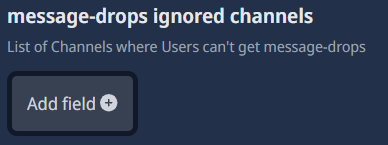
type: Add Field
required: false
recommended: true
Here, you can add channels where message drops will be ignored, there, no user can earn cash by sending messages. You can add multiple channels by clicking the "Add Field" button. Just provide the channel ID of the channel you want to add. This feature is recommended, because you can setup channels like bot command or announcement channels where users can't earn money by sending messages but it's your choice.
messageDrops

type: Spinner (AKA Number Input)
required: true
Here, you can set the amount of money that users can earn from message drops. You can set this to any amount you like, depending on how you want to structure your economy.
messageDropsMax

type: Spinner (AKA Number Input)
required: true
Here, you can set the maximum amount of money that users can earn from message drops. You can set this to any amount you like, depending on how you want to structure your economy.
messageDropsMin

type: Spinner (AKA Number Input)
required: true
Here, you can set the minimum amount of money that users can earn from message drops. You can set this to any amount you like, depending on how you want to structure your economy.
dailyReward

type: Spinner (AKA Number Input)
required: true
Here, you can set the amount of money that users can earn from the daily reward. You can set this to any amount you like, depending on how you want to structure your economy.
weeklyReward

type: Spinner (AKA Number Input)
required: true
Here, you can set the amount of money that users can earn from the weekly reward. You can set this to any amount you like, depending on how you want to structure your economy.
Public command-Replies

type: Boolean (AKA True/False)
required: false
recommended: false
If this option is enabled, the bot will send public replies to economy commands instead of using ephemeral messages. This means that everyone in the channel can see the bot's responses to economy commands. If you prefer to keep economy command replies private, it's best to leave this option disabled.