Birthday-Calendar
With this module, you can let users set their birthday and the bot will automatically wish them a happy birthday on that day in a specified channel.
Birthday-Channel

type: Channel Select
required: true
Here, you have to select a channel where the bot should send the Birthday Embed message. This is not the notificiation message that the bot send when a user have a birthday, this is just a channel where the bot can send an embed message that shows the upcoming birthdays. But, if you don't choose a channel in "(optional) Notification-Channel", the bot will also send the notification message in this channel.
(optional) Notification-Channel

type: Channel Select
required: false
recommended: false
If you select a channel here, the bot will send a notification message in that channel every time a user has a birthday. If you don't choose a channel here, the bot will send the notification message in the Channel, that you chose in the "Birthday-Channel" section.
Birthday-Embed enabled

type: Boolean (AKA True/False)
required: false
recommended: true
If you activate this option, the bot will send an embed message in the "Birthday-Channel" that shows the upcoming birthdays. If you don't activate this option, the bot won't send any embed messages in that channel this is recommended because you have a better overview of the upcoming birthdays.
Birthday-Role

type: Role Select
required: false
recommended: true
Here, you can choose a role that the bot will assign to users on their birthday for 24 hours. This is optional, and you don't have to choose a role here. if you don't choose a role here, the bot won't assign any role to users on their birthday. This is recommended because it makes the birthday more special.
Birthday-Embed
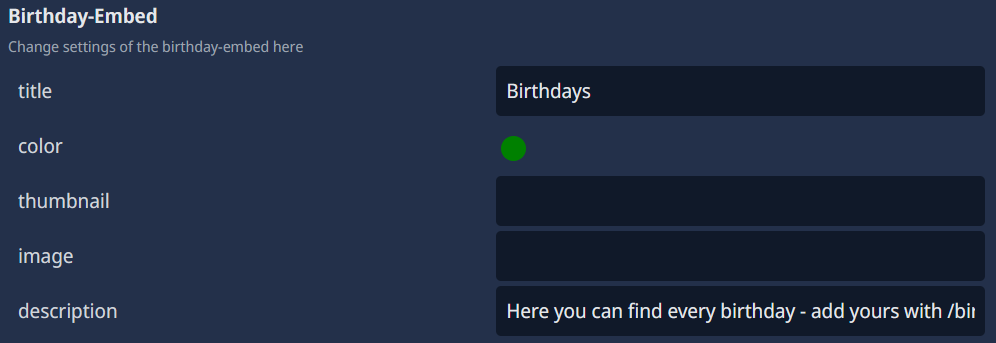
type: Embed
required: false (true if you activated the "Birthday-Embed enabled" option)
Here, you can customize the embed message that the bot will send in the "Birthday-Channel" that shows the upcoming birthdays. You can change the title, color, thumbnail, image and description. This is optional, and if you don't customize the embed, the bot will use a default embed message and i kindly recommend you to customize the embed message to fit your server's theme.
Use User's Tags instead of their Mention

type: Boolean (AKA True/False)
required: false
recommended: false
If you activate this option, the bot will use the user's tag (e.g., User#1234) instead of mentioning them in the birthday notification message. This is useful if you want to avoid pinging users on their birthday, especially in large servers where many users might have their birthday on the same day but i wouldn't recommend this because its more personal to mention the user.