Application-Categories
In this section of the configuration, you have to create the Application categories that the users can Apply.
Application-Categorie-Name

type: String
required: true
You must give a name to this category. This will be displayed on Discord when users want to apply.
Notification-Channel

type: Channel Select
required: true
Here, you must select a channel where the bot will send all the appication answers from the users that applied, you can view all the information from a url that the bot sent in the channel, and there are also buttons that you can work with, accept and decline. a example url cn an look like this: https://paste.scootkit.com/?fc35956bd90de99e#CoFiCkWZVxWYWDpmuaaV31LFDdJH3giY4PzukAscPx9o
Questions
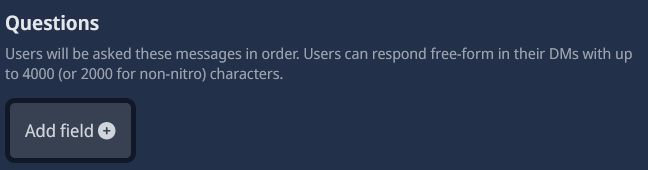
type: Add Field
required: true
In this field (or fields), you have to add your questions. These questions will be asked to the users. Please don’t put multiple questions in one field, only one question per field. If you want to add more questions, you can click the "Add Field" button.
Roles

type: Role Select
required: true
Here, you have to choose a role that the user will receive when they get accepted. If the role you want to assign is a Linked Role, then you must select the @everyone role instead. This means that the user won’t receive any role. After that, you can tell the user that they can claim the Linked Role themselves.
Require role to process application?

type: Boolean (AKA True/False)
required: false
recommended: true
If you activate this option, a new configuration will appear that you need to fill out (Roles that can process applications). If you dont activate this option, everyone access to the notification channel can Approve/Deny the application.
Roles that can process applications

type: Role Select
required: true (if you activated the "Require role to process application" option)
Here, you need to choose a role (you can add more than one) that can approve or deny applications. If you don’t have this role, you can only view the applications but cannot approve or deny them.
Require role to apply?

type: Boolean (AKA True/False)
required: false
recommended: false
If you activate this, you have to choose a role (you can add more than one) that can apply to that category. If a user doesn’t have that role, they won’t be able to apply. I don’t recommend this, because it’s useless for me, and everyone has the right to apply themselves.
Emoji

type: Emoji
required: false
recommended: true
If you set an emoji here, it will be displayed next to the category in the Discord dropdown menu
Category description

type: String
required: false
recommended: true
You can set up a description for this category. It will be displayed in the Discord dropdown menu. Use a few words to briefly explain the category.